


Features
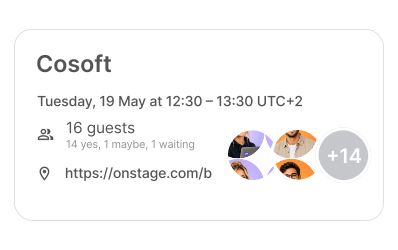
Meetings
Create events, invite participants, share video conferences, and manage your schedule from one place.
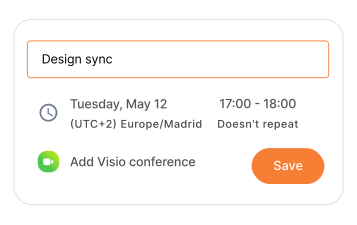
Team's schedule
Bring calendars, meetings, and video conferencing together in one secure, collaborative experience.

Massive scalability
A shared space where your team chats, meets and works together.
Made for modern teams
Share calendars, delegate scheduling, and start video meetings without leaving your calendar.

SMART DELEGATION
Let trusted teammates manage your calendar on your behalf.
Every device
Every device
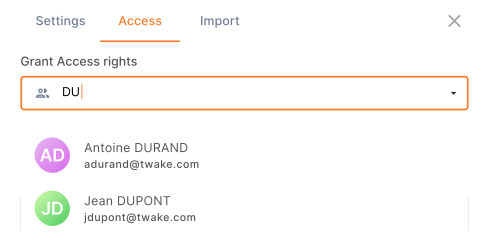

VIDEO MEETINGS
Start video calls instantly from any event.


SHARED CALENDARS
Share calendars with your team and see everyone's availability at a glance.
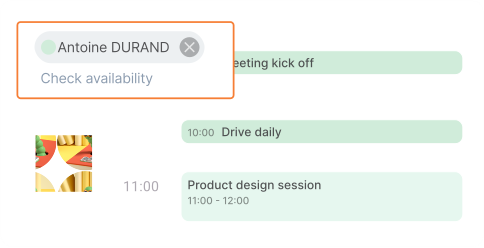
Check availability
Everything you need to organize your time
Simplify scheduling, stay in sync, and make every meeting count.


Files & notes
Access documents and notes from Twake Drive directly from your calendar events.
Coordinate meetings across time zones with confidence.
Self-hosting
Self-hosting
Time zones
Schedule appointments in seconds, share your time slots, and let others reserve directly from your availability grid.
Turn your availability into seamless bookings
Designed for every deployment
Use it your way
Twake Calendar works as a standalone application or as part of the Twake Workplace ecosystem.


Standalone Open Source calendar
Integrated with Twake Mail, Chat, Drive, and Visio
Available as SaaS or self-hosted

Your data stays yours
Open Source software with enterprise-grade security, self-hosting, and complete control over your infrastructure.
Try it for free 



Part of the Twake Workplace ecosystem
Combine Calendar with Mail, Chat, Drive, Visio, and other Twake Workplace applications to build a complete collaboration platform.




Questions? We’ve got your schedule covered
Organize your schedule with dedicated calendars for work, personal events, projects, or teams. Create as many calendars as you need, customize them with colors, and control who can view your events. Easily edit, share, import, or hide calendars to keep your workspace organized.
Yes. Share your calendar with teammates or external users by assigning the appropriate access level. You control who can view, edit, or manage your calendar, making it easy to collaborate while keeping your schedule secure.
Twake Calendar is seamlessly connected to Twake Mail, so meeting invitations and event updates are delivered directly to your inbox. Invite participants, track their responses, and everyone automatically receives notifications when an event is created, updated, or canceled.
Yes. Twake Calendar supports CalDAV, making it easy to sync with your existing calendar applications. You can also import calendars using iCalendar (.ics) files or export your Twake calendars to use them in other compatible services.
Yes. Twake Calendar is built with privacy and security at its core. Your calendar data is securely hosted, giving you full control over your information while ensuring your events and schedules remain protected.
Yes. Twake Calendar is fully integrated with the Twake Workplace suite. Schedule meetings from Twake Mail, share events in Twake Chat, launch or join video meetings with Twake Visio, and attach files directly from Twake Drive all within a single, connected workspace.
Our primary goal is to secure and maintain your trust.
Trust is essential when it comes to the tools you use, particularly for communication, which is integral and personal. At Twake, we strive to build this trust through thoughtful software design choices. We’ve made key parts of our codebase open source to allow for transparency and the possibility for you to self-host our solutions. Moreover, Twake leverages an open-source communication protocol to ensure that our platform remains as accessible and inspectable as possible.
We ensure that all communications within Twake Chat are encrypted before they are stored on our servers, using a zero-access encryption model. This means that only you have the ability to access your chat data—Twake Chat does not possess the keys necessary to decrypt your conversations. Furthermore, we pride ourselves on a straightforward, transparent business model. We offer a paid subscription to fund our operations and provide a free plan to broaden the potential market for our services. This approach ensures that our business objectives align with the long-term interests of all Twake Chat
Trust is essential when it comes to the tools you use, particularly for communication, which is integral and personal. At Twake, we strive to build this trust through thoughtful software design choices. We’ve made key parts of our codebase open source to allow for transparency and the possibility for you to self-host our solutions. Moreover, Twake leverages an open-source communication protocol to ensure that our platform remains as accessible and inspectable as possible.
We ensure that all communications within Twake Chat are encrypted before they are stored on our servers, using a zero-access encryption model. This means that only you have the ability to access your chat data—Twake Chat does not possess the keys necessary to decrypt your conversations. Furthermore, we pride ourselves on a straightforward, transparent business model. We offer a paid subscription to fund our operations and provide a free plan to broaden the potential market for our services. This approach ensures that our business objectives align with the long-term interests of all Twake Chat
Twake Cloud stores an encrypted copy of all your Twake Chat history on our servers. This setup ensures that if you need to install Twake on a new device, you can easily access your entire previous chat history.
Every message and attachment (including videos and images) saved on Twake Workplace servers, whether transmitted over end-to-end encrypted networks or not, is protected using zero-access encryption. All messages are encrypted using your public key and can only be decrypted locally on your device(s) using a Recovery Code (a private key) that is generated when you initially set up your Twake Workplace account. This code is crucial as it is never transmitted to Twake Chat.
Zero-access encryption means that we at Twake Chat— the creators and maintainers of the platform—cannot read the contents (text, images, videos, and attachments) of any messages stored on our servers. If you lose access to all your devices and your Recovery Code, unfortunately, we cannot retrieve your chat history for you. It is essential to keep your Recovery Code safe!
Every message and attachment (including videos and images) saved on Twake Workplace servers, whether transmitted over end-to-end encrypted networks or not, is protected using zero-access encryption. All messages are encrypted using your public key and can only be decrypted locally on your device(s) using a Recovery Code (a private key) that is generated when you initially set up your Twake Workplace account. This code is crucial as it is never transmitted to Twake Chat.
Zero-access encryption means that we at Twake Chat— the creators and maintainers of the platform—cannot read the contents (text, images, videos, and attachments) of any messages stored on our servers. If you lose access to all your devices and your Recovery Code, unfortunately, we cannot retrieve your chat history for you. It is essential to keep your Recovery Code safe!
Self-hosting is a viable option for users who want the advantages of a unified communication platform but prefer not to rely on Twake Workplace’s hosted services. We have made all of our integration bridges available on GitHub While we do not offer official technical support for self-hosting setups, you can seek assistance and share insights within our community.
To facilitate its services while adhering to GDPR standards, Twake Workplace collects necessary device information, which includes the operating system, hardware specifications, public IP addresses, network routing details, and settings of the installed Twake Workplace client. Additionally, Twake Workplace uses user account details such as email addresses and phone numbers for the purpose of authenticating users and ensuring secure access to their accounts.
Get Twake Calendar On-Premise
Just type your contacts
We will contact you with more details